Your Buddy List allows you to see which of your contacts are online so you can start a chat with them. iChat can display a different buddy list for each service it supports. To switch through the different buddy lists, you can use the Window menu. There will be an option for the default buddy list (which has your .Mac/AIM contacts), the Bonjour buddy list (for contacts on your local area network), or the Jabber buddy list (for GoogleTalk contacts).
To add someone to your Buddy List:
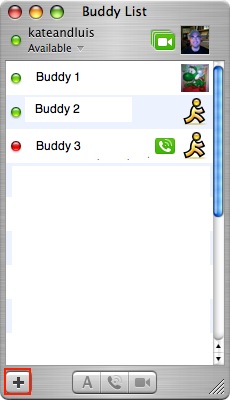
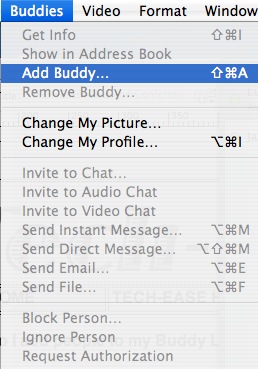
- Choose Add Buddy from the Buddies menu (or click on the Add (+) button at the bottom of the Buddy List.
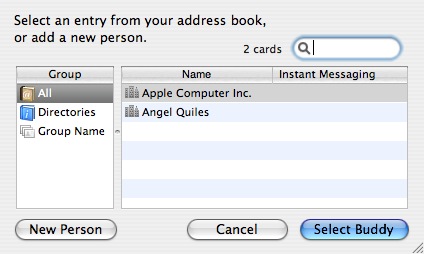
- Select a contact you have entered in Address Book and click Select Buddy, or click on New Person if you do not have an Address Book entry for the person you want to add.
- If you choose New Person, select .Mac or AIM from the Account Type pop-up menu to indicate your buddy’s account type.
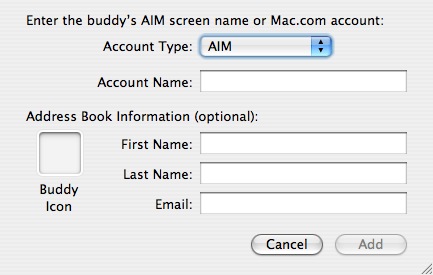
- Type your buddy’s account name in the Account Name field and click Add.
Your new buddy should appear in your Buddy List. If he or she is online, a green dot will appear next to their name. If a buddy’s name appears dimmed, he or she isn’t currently available to chat.
