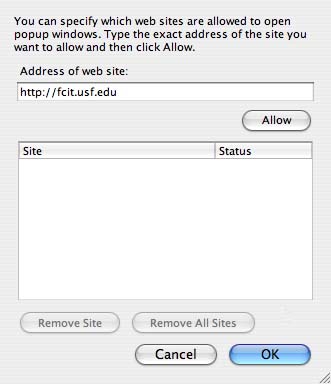
Pop-up windows are often used to display advertisements that appear when you visit a web page. One way to stop these pop-up windows is by using a web browser that has a built-in pop-up blocker. The two most popular web browsers used on the Mac, Safari and Mozilla Firefox, both feature a pop-up blocker.
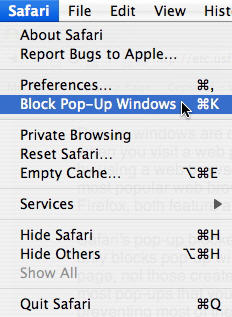
Safari’s pop-up blocker is turned on by default. Safari’s pop-up blocker only blocks pop-up windows created when you open or close a web page, not those created when you click on a link. This feature allows most pop-ups that you want to open up with no problems while preventing most of the ad-related ones. There may be sites for which you want to allow pop-up windows. One example is this page from the FCIT Making the Connection website. When you click to see one of the Teacher Notes on this site it is displayed in a small pop-up window. If you need to disable the pop-up blocker in Safari to view a site that requires pop-ups, select Safari from the menu bar and make sure you uncheck Block Pop-up Windows.
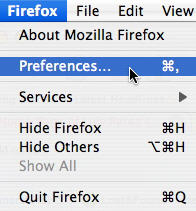
In Mozilla Firefox, you can access the settings for the built-in pop-up blocker by choosing Firefox on the menu bar, then Preferences, and then Web Features.
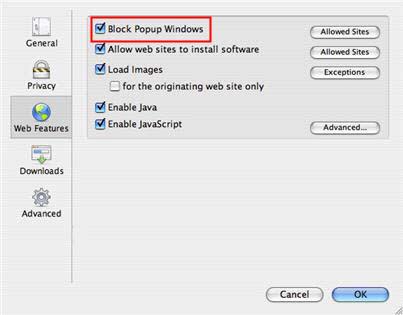
You will see a check box next to Block Popup Windows that you can use to turn the pop-up blocker on and off. You can click on the Allowed Sites button next to the Block Pop-up Windows checkbox to add websites for which you want to enable pop-up windows.