Once you have added contacts to your contacts list, there are several ways to start a chat with them if they are online:
- Double-click on the contact in your contacts list.
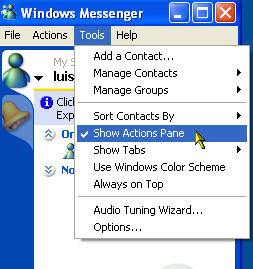
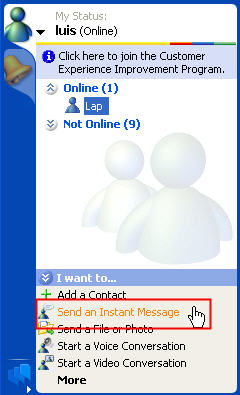
- Select the contact, then click on Send an Instant Message in the actions pane (choose Tools, Show Actions Pane if it is not displayed at the bottom of the Windows Messenger window).
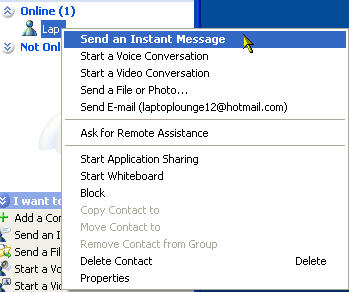
- Right-click on a contact and select Send an Instant Message.
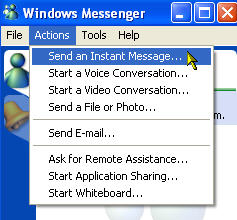
- Make sure the contact is selected and select Actions, Send an Instant Message.
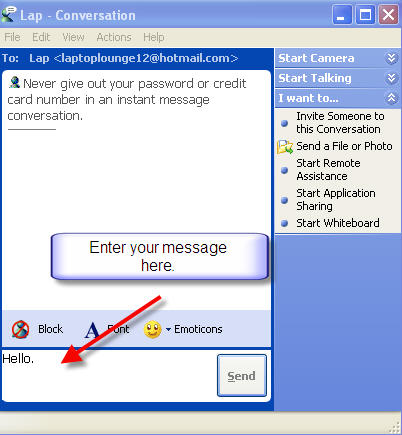
Once you start a chat, a conversation window will open. Enter your message on the bottom portion of the window and click on Send.
Your contact will receive a pop-up alert in the lower right hand of their screen as well as an audible alert letting them know they have a message from you.
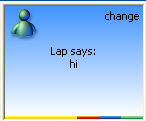
Your contact can reply to your message by double-clicking on the pop-up window to open a conversation window.
When your contact replies, their reply will appear on the top portion of the conversation window on your end.
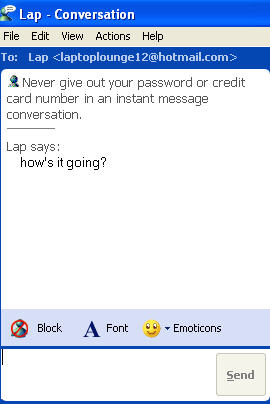
The status bar at the bottom of the conversation window will let you know when your contact is typing on the other end.

