As with most computer problems, you should begin with the easiest solutions before moving on to more advanced troubleshooting steps. First, make sure the printer is on and has paper in the tray. You may also want to check that it has ink if you are using an inkjet printer. Next, check to make sure the printer cable is properly connected to both the computer and the printer.
If you still can’t print, there may be a problem with the driver software installed by OS X. You may want to delete the printer by using the Printer Setup Utility, then reinstall it. The Printer Setup Utility can be found in the Applications folder, in the Utilities subfolder.
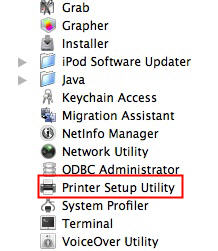
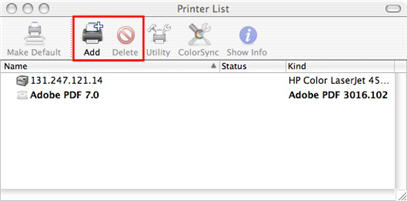
Once you open the Printer Setup Utility, you can use the button on the toolbar labeled Delete to remove the printer driver software from the computer. You can then click on the Add button to reinstall the printer.
If your printer still does not work after reinstalling the driver software included with OS X, you may want to install the printer driver available on the website for that printer’s manufacturer.
