![]() | Quick answers to real classroom technology questions. An online service of the Educational Technology Clearinghouse. | ||
| ETC HOME |
TECH-EASE HOME |
EMAIL FAQ |
SEARCH |
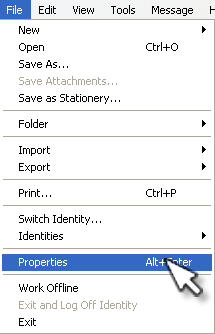
How do I know who is really sending me an email?In order to be really sure who is sending you an email you will have to carefully examine the email headers. This is also a place you can look to catch spam emails. To view all the headers in Outlook 2003, open a message and then select View, Options. The Message Options dialog box will have an Internet Headers field at the bottom where you can see the headers. To view email headers in Outlook Express, select the message and then choose File, Properties.
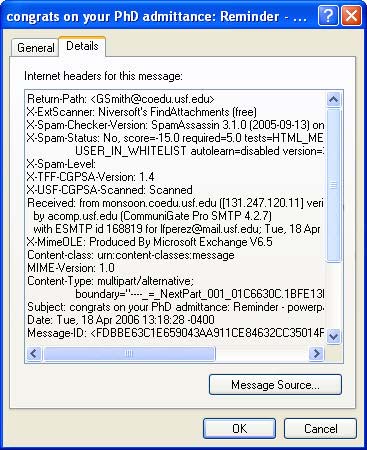
Next, select the Details tab and you will see the headers displayed.
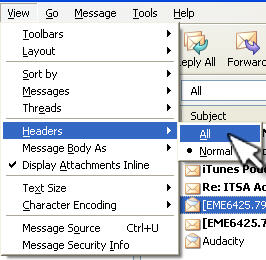
In Thunderbird, select the message and then choose View, Headers, All.
|
Additional Websites |
||
| ETC HOME |
TECH-EASE HOME |
EMAIL FAQ |
SEARCH |
Site Map | Submit a Question | About Tech-Ease | Privacy Policy | ETC Home
Tech-Ease for Windows is your source for just-in-time answers for classroom technology questions. A companion Tech-Ease for Mac site is also available. This collection is a part of the Educational Technology Clearinghouse and is funded in part by a grant from the Florida Department of Education. Copyright 2008 by the Florida Center for Instructional Technology, College of Education, University of South Florida. |
|||