Many people object to having their email address visible in mailing lists. They may fear that other recipients on the list may use their address in the future to send them unsolicited emails such as chain letters and the like.
You can set up your list in a way that does not disclose the email addresses of your recipients. To hide the recipients of your mailing lists, first open your email program’s Address Book and then create a new entry with the name “Undisclosed Recipients: Your Mailing List Name” and your email address.
When you want to send an email to your mailing list, you will use this entry in the “To” field to address the message to yourself.
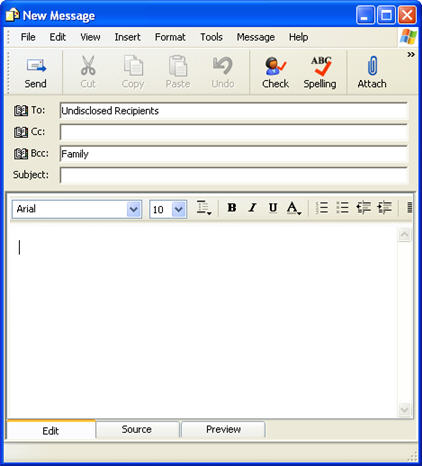
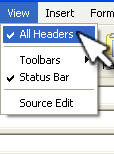
Next, choose the “Bcc” field (if you don’t see it you may have to select View, All Headers or a similar option in your particular program) and add the entries for your recipients or the mailing list name.
The “Bcc” field stands for blind carbon copy. Users listed in this field will receive a copy of the message, but they will not know who else has been copied on it. The information is also not included in the email headers sent with each message.
