Yes, in most cases you should be able to open a file created on a Mac on your Windows computer.
If you have the Mac version of a Windows program (such as Microsoft Office) it will likely save files in a format that can be read by your Windows computer (it will add the correct file extension). You can then transfer the file to your Windows computer and it should open up in the program assigned to that extension. You can transfer files between the two platforms using a CD, a USB drive, or a network connection. Another option is to upload the files to a web server from the Mac and then download them on your Windows computer.
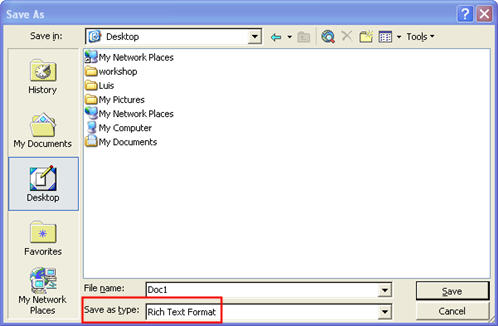
If you do not have the Mac version of your Windows program you may still be able to save the file to a standard format that can be read on both platforms. For example, if you are using a word processing application on your Mac, it may allow you to save your document using Rich Text Format (RTF), which can be opened by many Windows word processing programs such as Microsoft Word.
Many document formats will be accessible across platforms. This includes many file formats designed for use on the internet, such as PDF documents and images saved using the GIF and JPEG formats. Some multimedia files may require you to download a free plug-in to play them on the other platform. This is the case with Quicktime movies created on the Mac (which require the free Quicktime Player to be installed on the Windows computer).
