A shortcut is a pointer to a file on your hard drive. This pointer can point to a program, a file, or a folder. The shortcut is a small file that takes very little space because it only has information about the location of the original file. It is not an exact copy of the original file. When you delete the shortcut, the original file it points to is not deleted.
With shortcuts, you can have the applications and folders you use the most in the locations where they are easiest to access, such as the desktop or the quick launch bar.
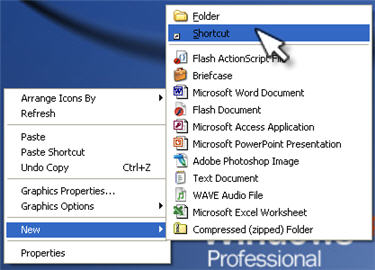
To create a new shortcut on the desktop, right click on an empty area of the desktop and select New, Shortcut.
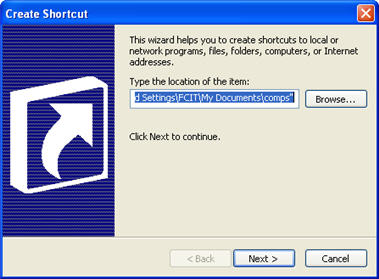
This will start the Create Shortcut wizard. Use the Browse button to locate the file, folder, or program you want the shortcut to point to, then click on Next.
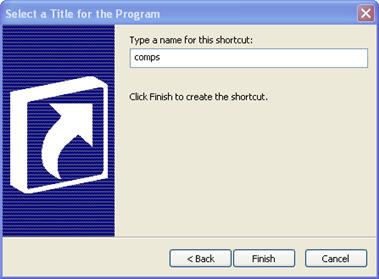
Provide a name for your shortcut, and click on Finish.
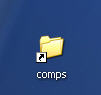
The new file that appears on your desktop will have a small arrow in one corner to let you know it is a shortcut.
A quick way to create a shortcut of any file is by holding down the Control and Shift keys and dragging the file to another location.
