Some USB devices, such as a flash drive or memory card connected with USB card reader, must first be stopped before they can be removed from your computer or shut off. Stopping the device is done to ensure that nothing is being written to the memory card. If you remove the device without first stopping it the information on it can be corrupted. To stop a device in Windows XP:
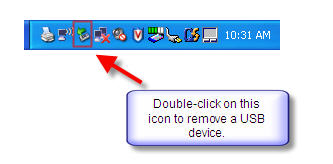
- Double-click on the Remove Hardware icon located in the System Tray.
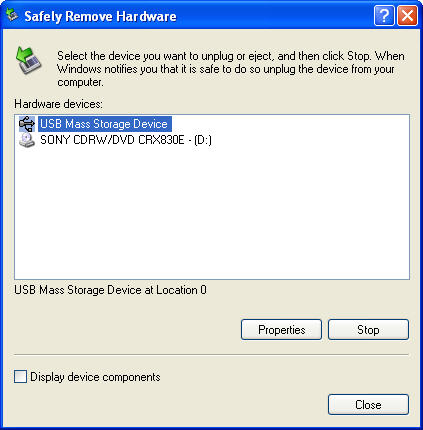
- A window containing a list of the USB devices will appear. Left-click on the Safely Remove Mass Storage Device line that matches your flash drive (for example, Safely Remove Mass Storage Device – Drive(G:)).
- When you see a bubble message appear that says “Safe to Remove Hardware”, it is, as it says, safe to remove the flash drive from the USB port; you may close the message or ignore it, as it will close itself automatically.
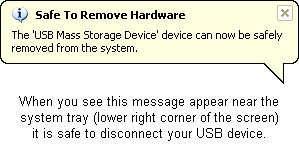
At that point it is safe to turn off and remove the device from your computer.
