NOTE: As of March 16, 2016, Google ceased to support Picasa and encouraged users to migrate to Google Photos. The Picasa application will continue to function, however, and can still be used by those who prefer it. We are maintaining the Picasa posts within TechEase because we find that many people are still using the application and come to the TechEase site looking for the specific help we offer.
To import photos into Picasa, first connect your digital camera using a USB cable (or connect your camera to its cradle). You can also use a card reader to import photos from the memory card used by your camera. The memory card will be displayed as a drive in Picasa.
Once you have connected your camera or card reader, click on the Import button and select your camera or drive from the list that appears.

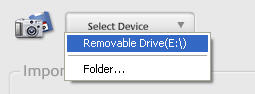
Your pictures will automatically be displayed in the Import Tray.
You can click on the Exclude button to select any images in your memory card that you want to keep from being imported.
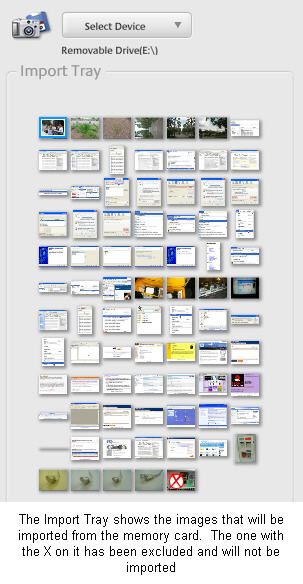
After your pictures have finished loading in the Import Tray, click on Finish. Picasa will then save the pictures to your hard drive (in the My Pictures folder under a folder name you create) and display them in the Folders on Disk collection.
