Tech-Ease
Quick answers to real classroom technology questions. An online service of the Educational Technology Clearinghouse.

ETC HOME
TECH-EASE HOME FILES FAQ SEARCH

How do I create a copy of a file? 

There are many ways to copy a file in OS X.  The simplest way is by control-clicking on a file (or right-clicking if you have a two-button mouse) to open up a context menu, then selecting Copy. 
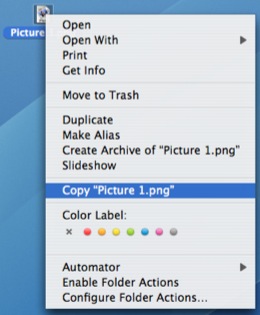
Right Click, Copy

You can then left click somewhere else in the window so that the file is no longer selected, control-click (or right-click with a mouse) , and select Paste Item.
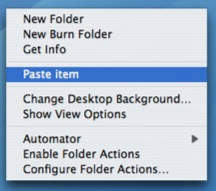
Right-Click, Paste Item

If you want to create a copy of a file or folder in the same location on your hard drive, control-click on it and then select Duplicate.
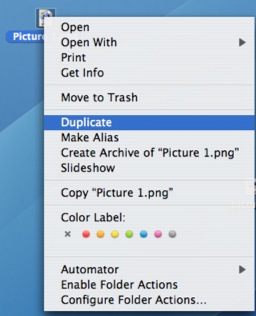
Right-click, Duplicate

You can also copy a file by using the options under the Edit menu in the Finder (Edit, Copy and Edit, Paste), or keyboard shortcuts (Control + C for Copy and Control + V for Paste). 
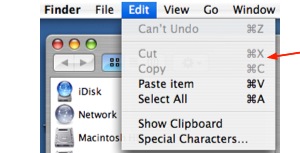
Edit, Copy or Paste

You can also hold down the Option key while dragging a file to create a copy.  A plus sign will appear on the file's icon as you drag it to let you know you are creating a copy.


Additional Websites

ETC HOME
TECH-EASE HOME FILES FAQ SEARCH


Site Map | Submit a Question | About Tech-Ease | Privacy Policy | ETC Home

Tech-Ease for Mac is your source for just-in-time answers for classroom technology questions. A companion Tech-Ease for Windows site is also available. This collection is a part of the Educational Technology Clearinghouse and is funded in part by a grant from the Florida Department of Education. Copyright 2008 by the Florida Center for Instructional Technology, College of Education, University of South Florida.