![]() | Quick answers to real classroom technology questions. An online service of the Educational Technology Clearinghouse. | ||
| ETC HOME |
TECH-EASE HOME |
INTERNET FAQ |
SEARCH |
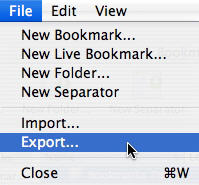
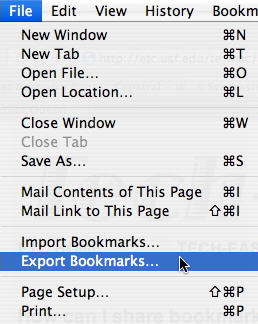
How can I share bookmarks with my students?Sharing bookmarks is a great way to structure your students' work on a particular topic. Your browser has the ability to export your bookmarks as a web page with links to the sites you want to share with your students. To export your bookmarks in Safari, select File, Export Bookmarks.
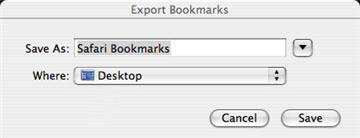
When you click on Save, Safari will create a web page containing links to all the sites you have bookmarked.
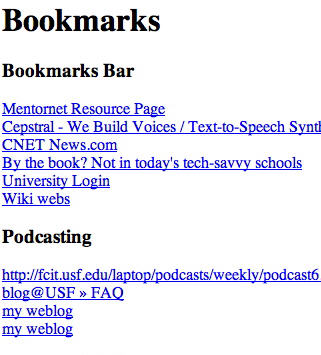
You can then email this webpage to your students and they can use the links on it as a starting point for researching a topic. Firefox also has an export feature for bookmarks. To use the export feature in Firefox, choose Bookmarks, Manage Bookmarks, then File, Export.
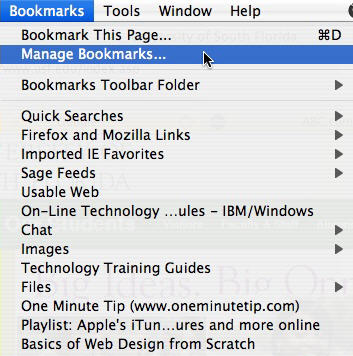
You will then be prompted for a location to save the web page with the links for your bookmarked sites. |
Additional Websites |
||
| ETC HOME |
TECH-EASE HOME |
INTERNET FAQ |
SEARCH |
Site Map | Submit a Question | About Tech-Ease | Privacy Policy | ETC Home
Tech-Ease for Mac is your source for just-in-time answers for classroom technology questions. A companion Tech-Ease for Windows site is also available. This collection is a part of the Educational Technology Clearinghouse and is funded in part by a grant from the Florida Department of Education. Copyright 2008 by the Florida Center for Instructional Technology, College of Education, University of South Florida. |
|||