NOTE: As of March 16, 2016, Google ceased to support Picasa and encouraged users to migrate to Google Photos. The Picasa application will continue to function, however, and can still be used by those who prefer it. We are maintaining the Picasa posts within TechEase because we find that many people are still using the application and come to the TechEase site looking for the specific help we offer.
Red eye is caused when the light from the flash is reflected off your subject’s eyes. This can often ruin many pictures taken in poorly lit indoor spaces.
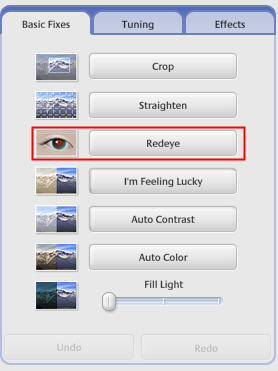
Fixing red eye with Picasa is simple. Open the picture you want to fix by double-clicking on it in the Lightbox. Next, click on Basic Fixes tab, then the Red Eye button.
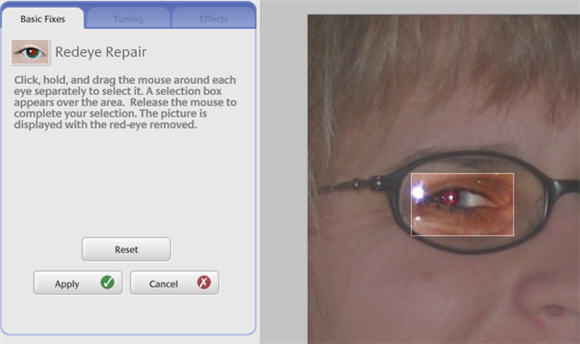
You will fix the picture by dragging to create a separate bounding box around each eye. The picture will be displayed with the red eye effect removed once you have made your selections. Click on Apply to save your changes, or on Cancel to return to the Basic Fixes tab. You can also click on the Reset button to start over with your red eye correction.