NOTE: As of March 16, 2016, Google ceased to support Picasa and encouraged users to migrate to Google Photos. The Picasa application will continue to function, however, and can still be used by those who prefer it. We are maintaining the Picasa posts within TechEase because we find that many people are still using the application and come to the TechEase site looking for the specific help we offer.
Picasa has a feature that will allow you to fix an image that is slightly crooked. First select the picture and double-click on it in the Lightbox to open the Editing Window.
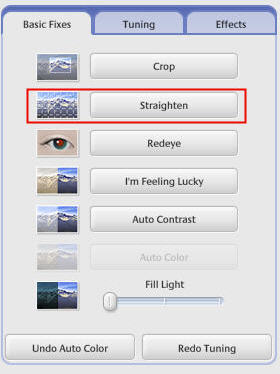
Select the Basic Fixes tab and click on the Straighten button.
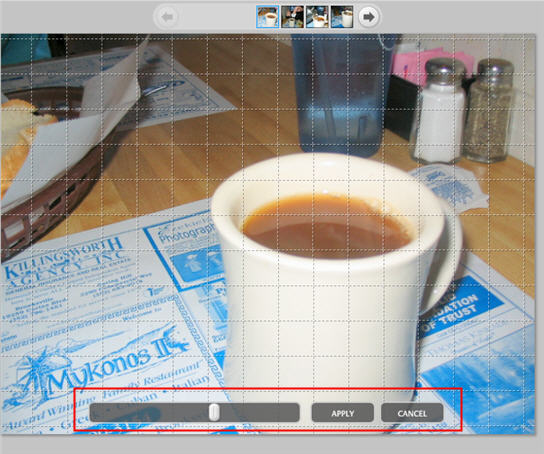
In the Straighten Picture view, use the slider at the bottom of the screen to align the picture against the boxed grid. Click Apply to save your changes in Picasa, or Cancel to return to the Basic Fixes tab.