NOTE: As of January 10, 2017, Microsoft ceased to support Windows Movie Maker. The Windows Movie Maker application will continue to function, however, and can still be used by those who prefer it. We are maintaining the Movie Maker posts within TechEase because we find that many people are still using the application and come to the TechEase site looking for the specific help we offer.
CAUTION: While installation files that were downloaded directly from Microsoft are safe, there are now many reports of non-Microsoft scam websites offering malware versions of Movie Maker for download. While this malware may function at first, it eventually will demand payment for functions such as saving a file. Never download software from an untrusted source.
The video you shoot with your video camera will usually have audio that is recorded along with it. When you trim the video on your computer using Windows Movie Maker, the audio will be trimmed as well. Likewise, when you split a video clip, the audio will be split at the same point as the video.
You can add a separate audio track to your movie by importing an audio file into the Collection, then dragging the imported audio clip into the Audio/Music track in the timeline.
Once the audio clip is in the timeline, you can trim it the same way your trim video clips:
- Position the cursor over the beginning or end of the audio clip until you see a double arrow.
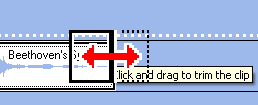
- Drag in to adjust the duration of the audio clip.
- To adjust the audio level, click on the Set Audio Levels button above the timeline.
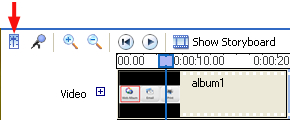
- Use the slider in the popup window to adjust the audio level between Audio from video and Audio/Music.
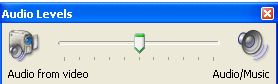
When you’re finished setting the audio level, close the popup window by clicking on the X in the upper right corner.
To split an audio clip:
- Positon the playhead where you want to split the audio clip.
- Click on the Split button in the Preview pane, choose Clip > Split, or press Control + L on your keyboard.
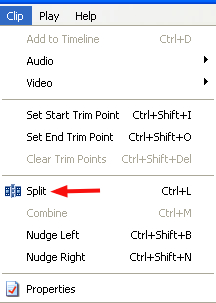

- You will end up with two separate clips you can add effects to or move independently.
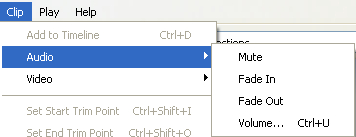
If you would rather have just the audio from the Audio/Music track play, you can mute the audio from the video clip by choosing Clip > Audio > Mute while you have the video clip selected. You can add a fade in or fade out effect to your audio track by choosing Clip > Audio > Fade In or Fade Out.