Sharing bookmarks is a great way to structure your students’ work on a particular topic. Your browser has the ability to export your bookmarks as a web page with links to the sites you want to share with your students.
To export your bookmarks in Internet Explorer 6:
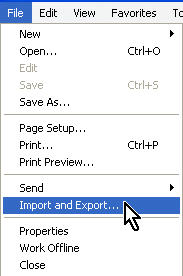
- Select File, Import and Export.
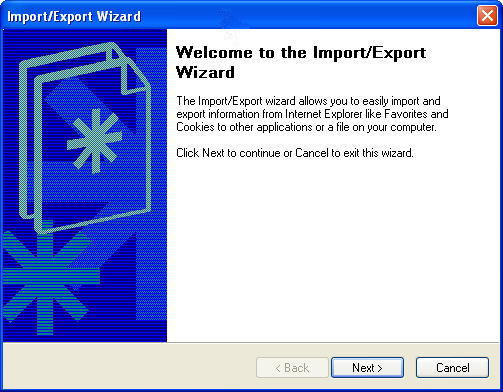
- You will then be guided through a wizard that will allow you to export all of your Favorites, or only a specific folder (you can create folders to organize your Favorites into categories). Click on Next to begin the wizard.
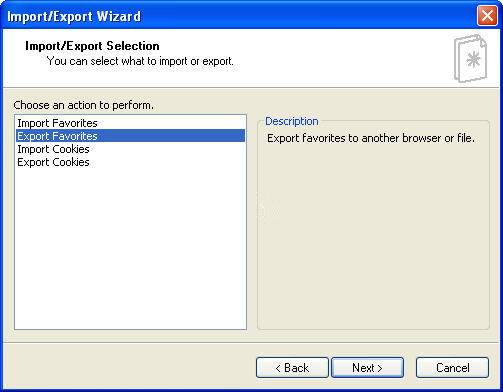
- On the next screen, select Export Favorites.
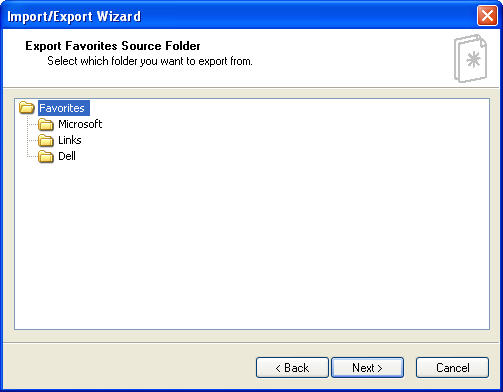
- Select Favorites if you want to export all of your bookmarks, or one of the folders listed underneath Favorites if you only wish to export a specific folder.
- Select the location on your hard drive where you want to save the file containing the links for your bookmarks.
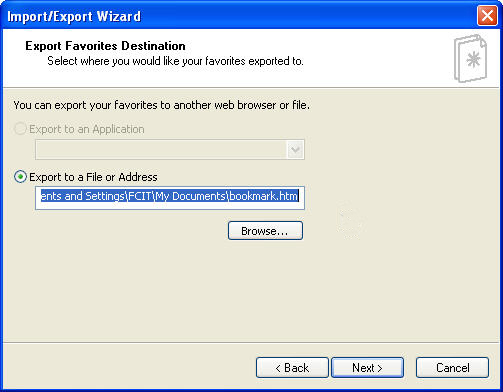
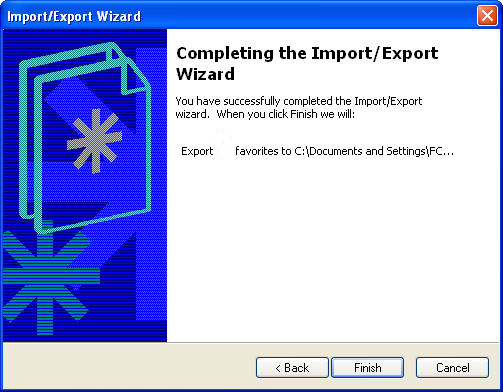
- Click on Finish to complete the export.
- When you complete the wizard, Internet Explorer will create a web page containing links to the bookmarked sites you selected. You can then email this webpage to your students and they can use the links on it as a starting point for researching a topic.
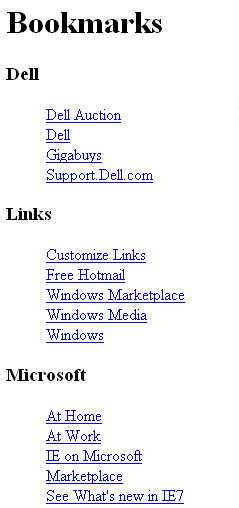
Firefox also has an export feature, but it does not allow you to select an individual folder to export. However, you can edit the web page created when you export the bookmarks to create a more limited list for your students. To use the export feature in Firefox:
- Choose Bookmarks, Manage Bookmarks
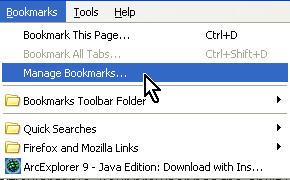
- This will open up the Bookmark Manager. Next, select a folder containing bookmarks you want to export, then choose File, Export.
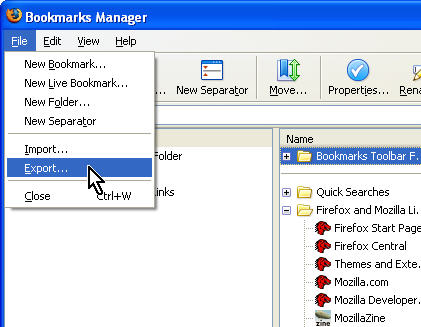
You will then be prompted for a location to save the web page with the links for your bookmarked sites.
